

These instructions are for self-hosted enterprise MatterAI deployments.
Github App Configuration
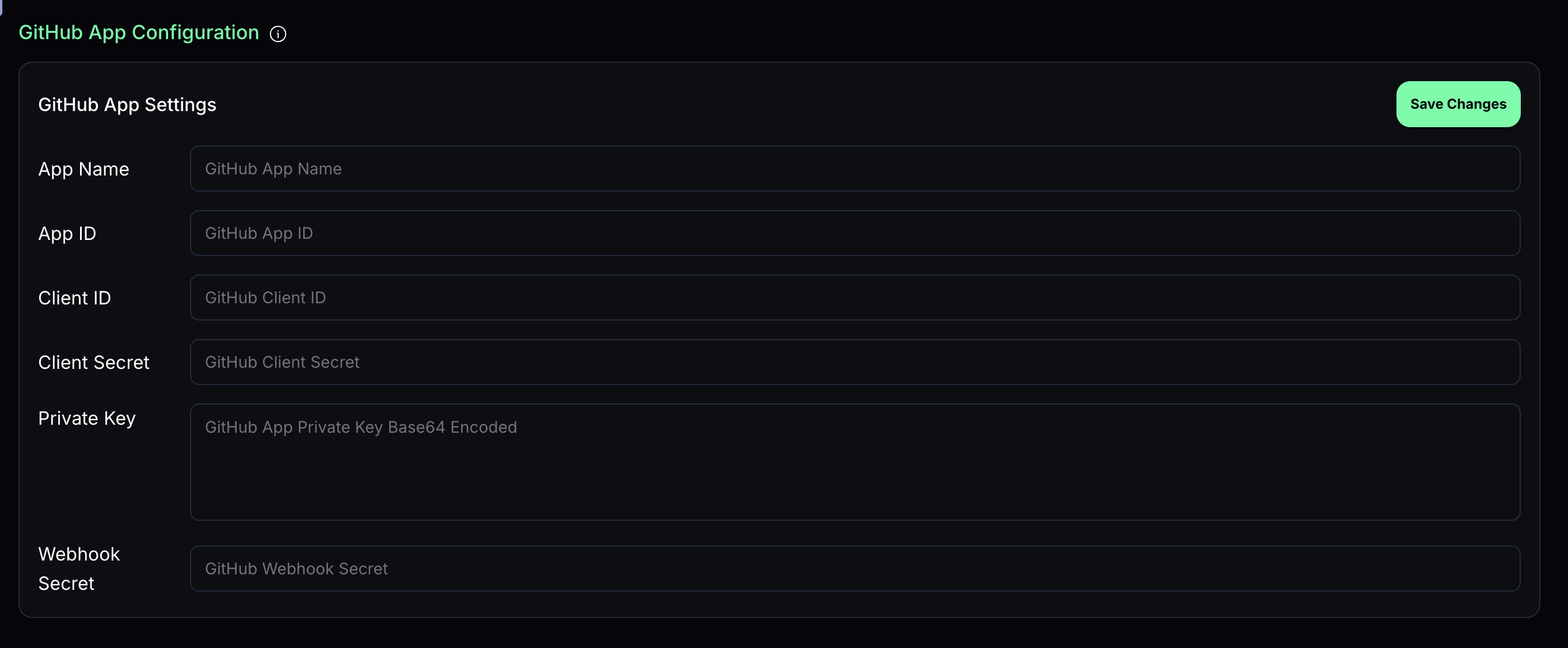
Once you have created your own GitHub App, you need to configure it for MatterAI. Below are the configuration values needed:- App Name
- App ID
- Client ID
- Client Secret
- Private Key (base64 encoded)
- Webhook Secret
Review Configurations
Customize how MatterAI handles code reviews with the following settings: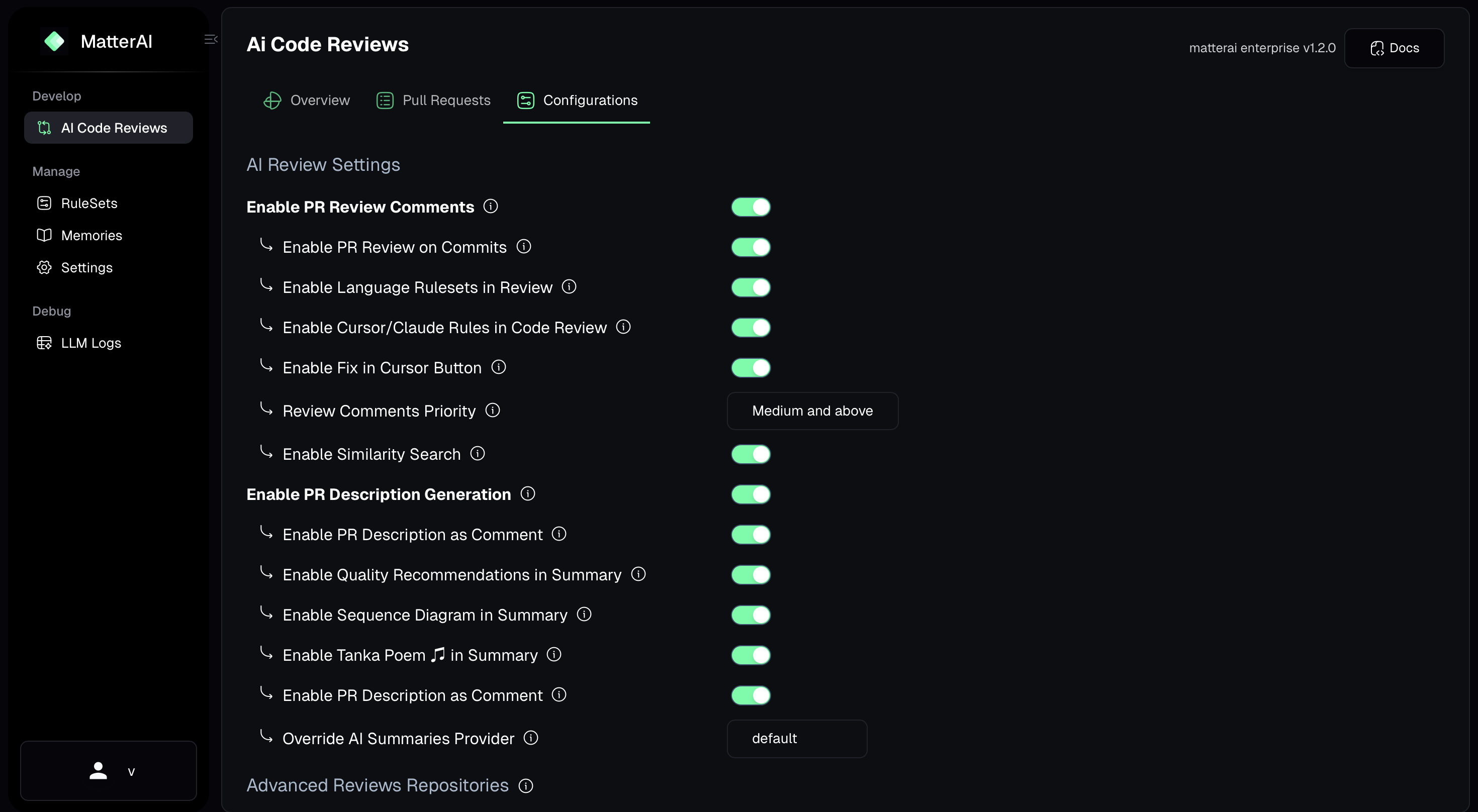
Enable PR Review Comments
When enabled, MatterAI will post detailed review comments on pull requests, highlighting potential issues and suggestions directly in the code diff.Enable PR Review on Commits
When enabled, MatterAI will automatically review new commits pushed to pull requests, providing feedback on the latest changes.Enable Language Rulesets in Review
When enabled, MatterAI will apply language-specific rules and best practices during code reviews, ensuring code quality and consistency.Enable Similarity Search
When enabled, MatterAI will search for similar code patterns across your codebase to identify potential duplications or reusable components.Enable Lite Review
When enabled, performs a faster, less resource-intensive review that focuses on critical issues only.Enable PR Description Generation
Enable PR Description as Comment
When enabled, the generated PR description will be posted as a comment instead of updating the PR description directly.Enable Quality Recommendations in Summary
When enabled, includes code quality improvement recommendations in the review summary.Enable Sequence Diagram in Summary
When enabled, generates and includes sequence diagrams in the review summary to help visualize complex interactions in the code.Disabled Repositories
Mark repositories that MatterAI should not review automatically. Manual reviews can be triggered for these repositories using/matter commands.

Advanced Code Review Repositories
Mark repositories that MatterAI should automatically review with advanced settings. Manual reviews can be triggered for these repositories using/matter review-max.

AI Provider Keys
Setup
AI Provider keys are your AI API keys stored securely in MatterAI. You can create and manage them in the MatterAI dashboard.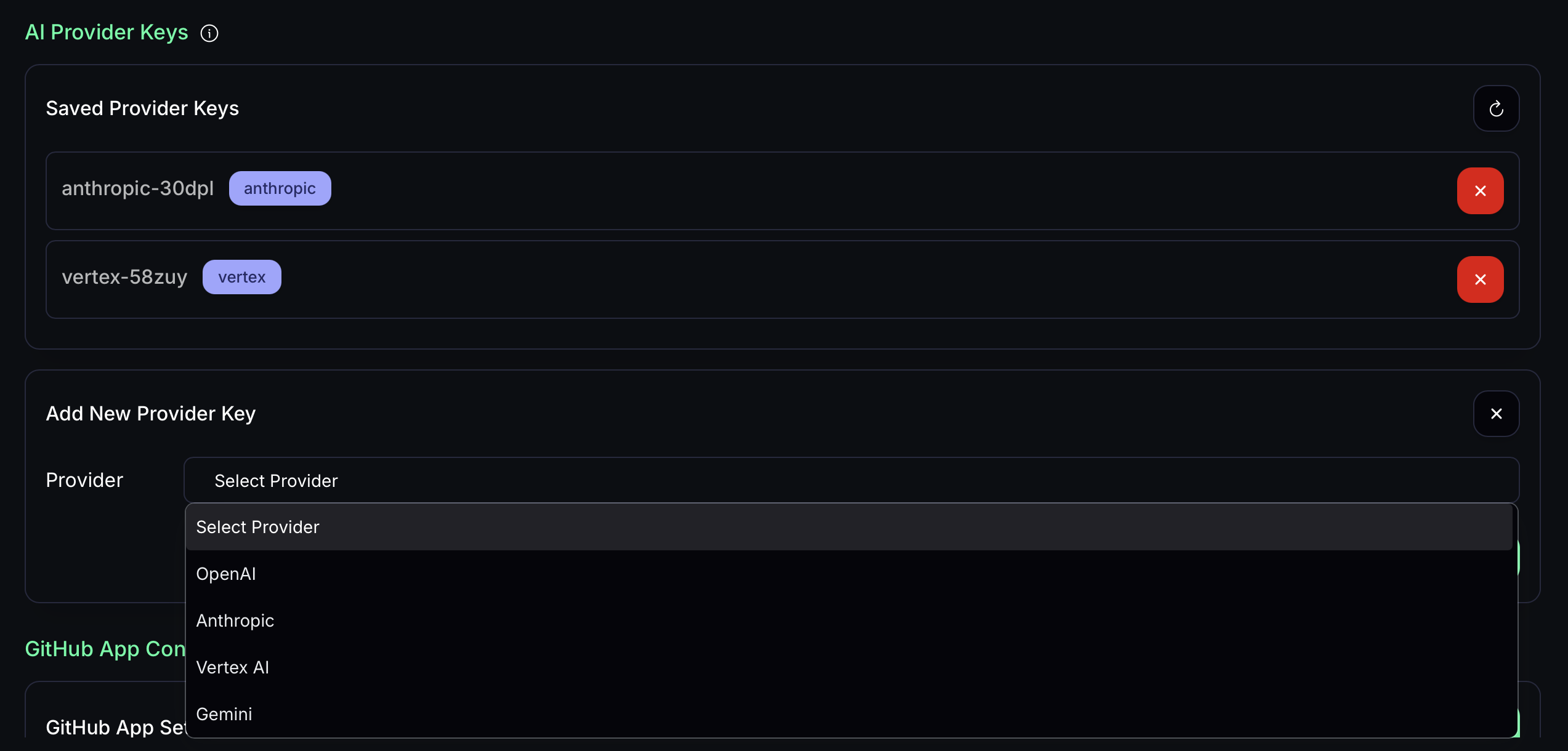
Anthropic
To setup Anthropic, simply add your API key in the MatterAI dashboard. You can get your API key from Anthropic ConsoleOpenAI
To setup OpenAI, simply add your API key in the MatterAI dashboard. You can get your API key from OpenAI ConsoleGemini
To setup Gemini, simply add your API key in the MatterAI dashboard. You can get your API key from Gemini ConsoleVertex AI
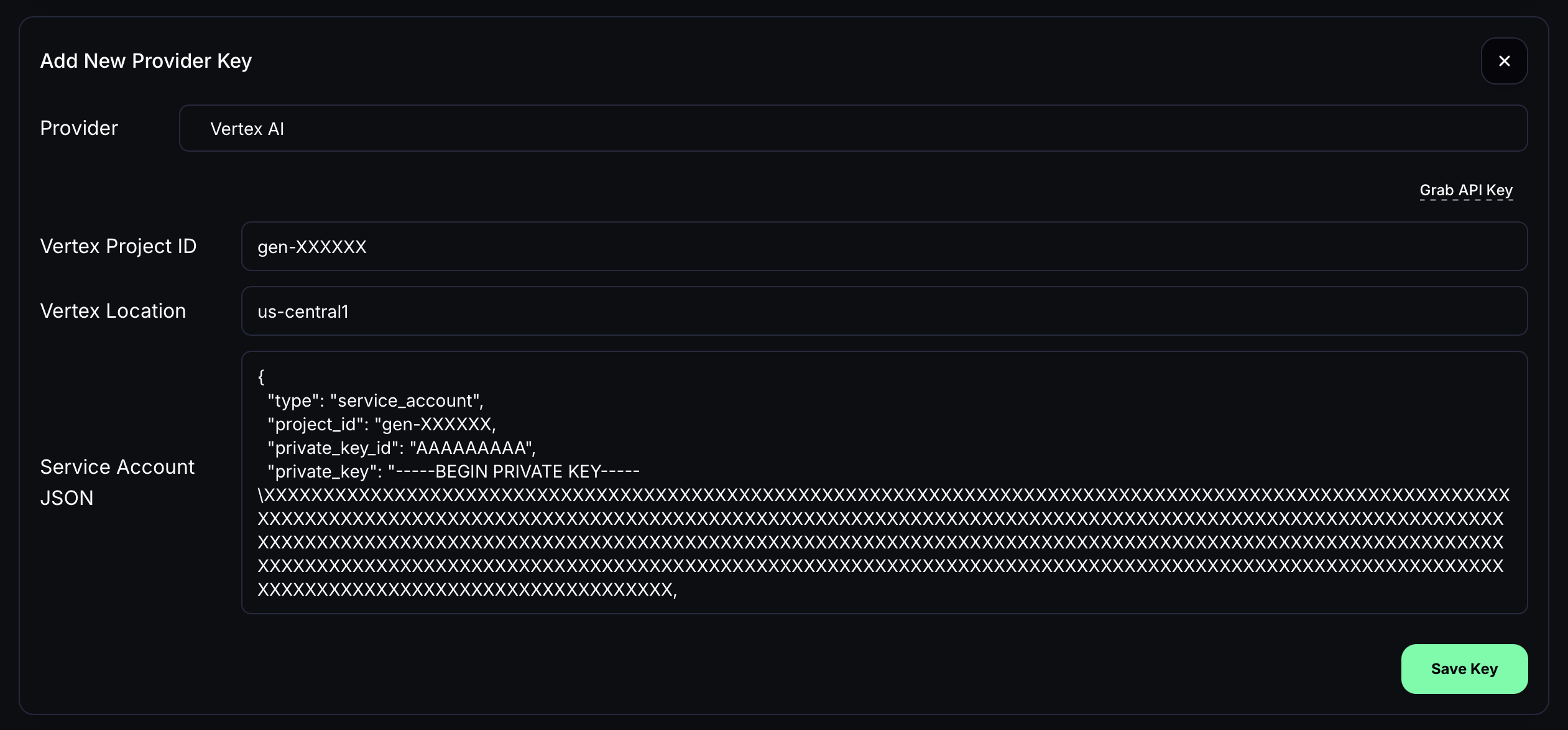
To setup Vertex AI, you need to create a service account in Google Cloud Console and required details as below.- Project ID
- Project Location (eg; us-central1)
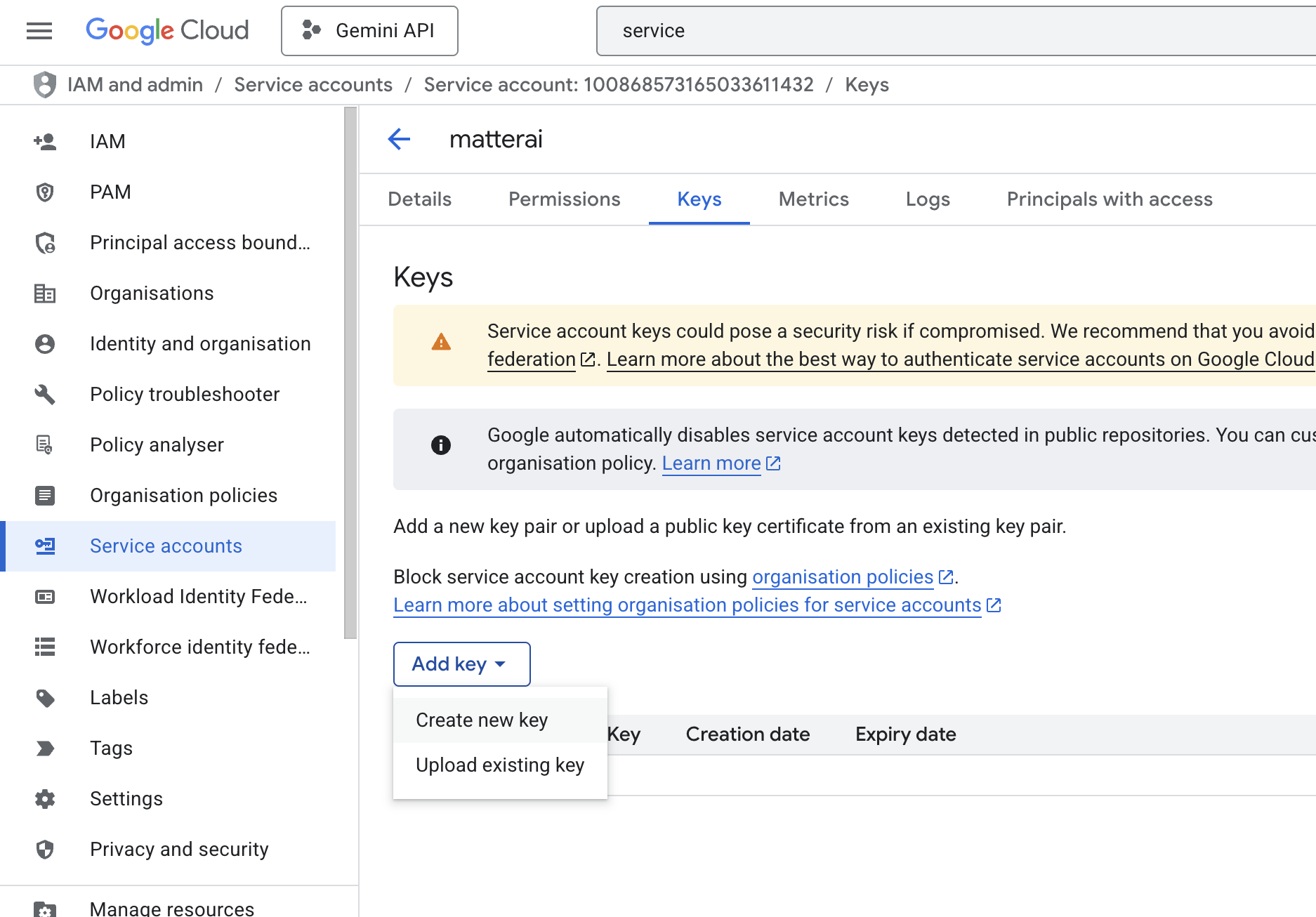
- Service Account JSON
Creating Service Account for Vertex AI
Create a new Service Account
Visit GCP Console for Service Accounts and create a new Service Account: https://console.cloud.google.com/iam-admin/serviceaccounts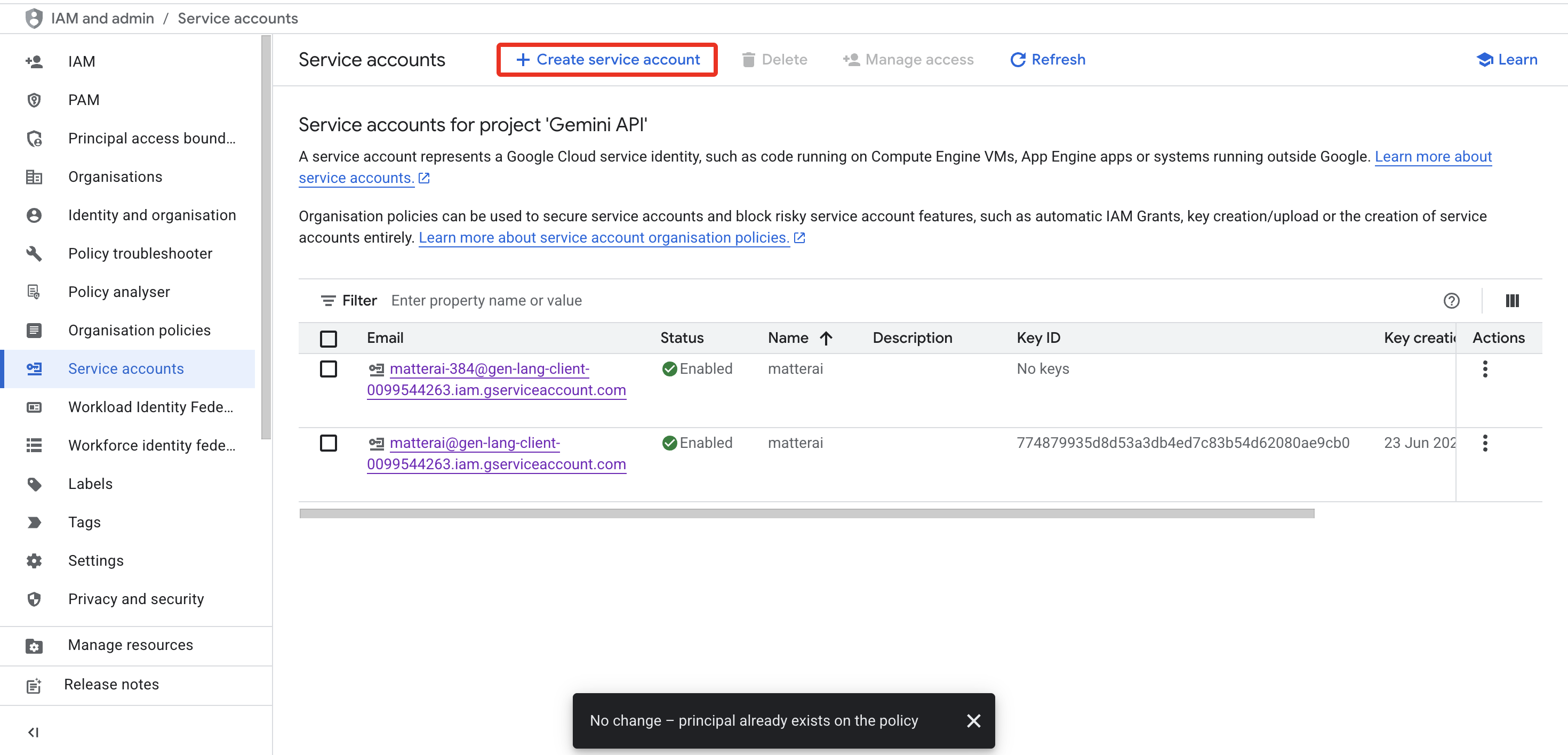
Configure the Service Account
Configure the Service Account with required name and role.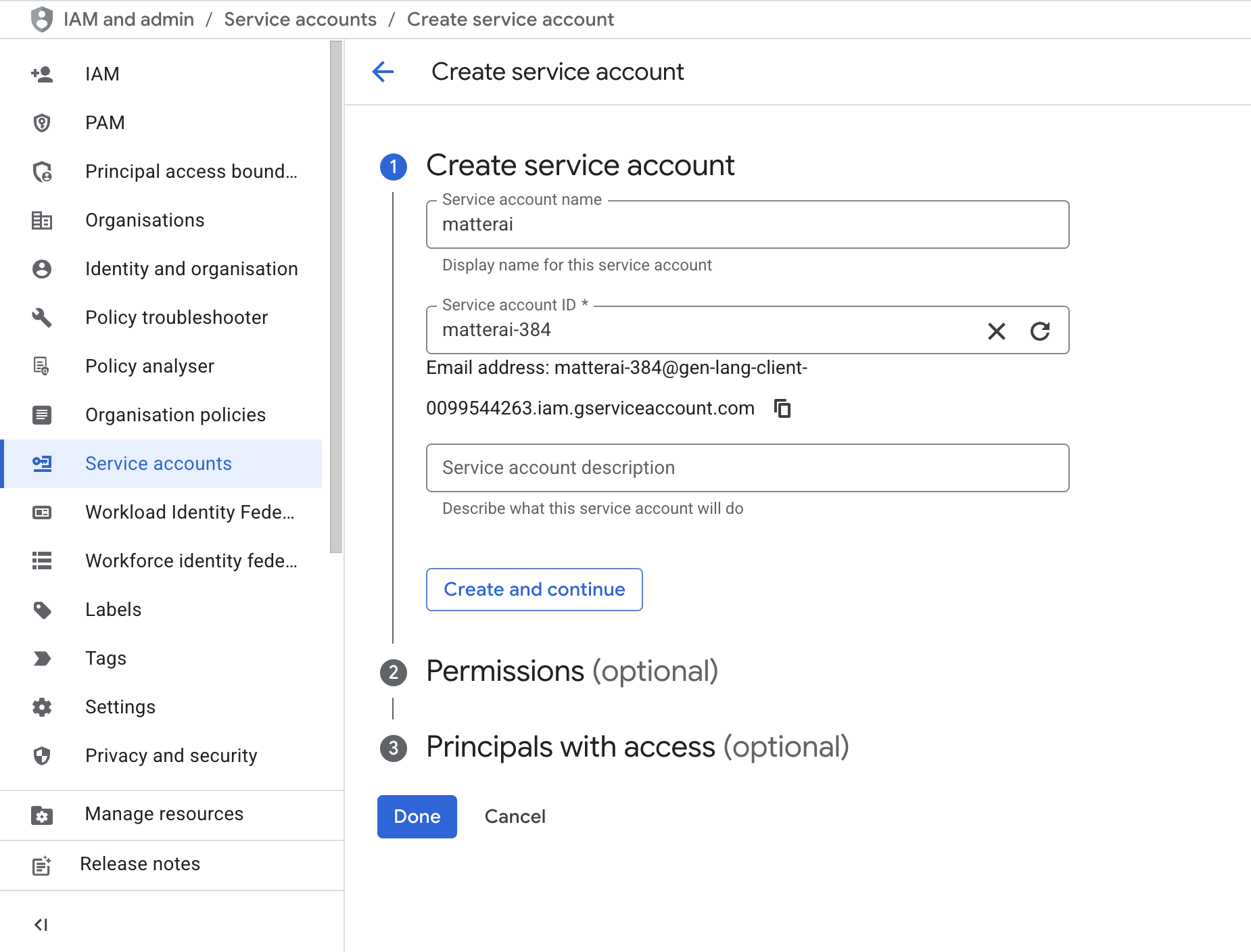
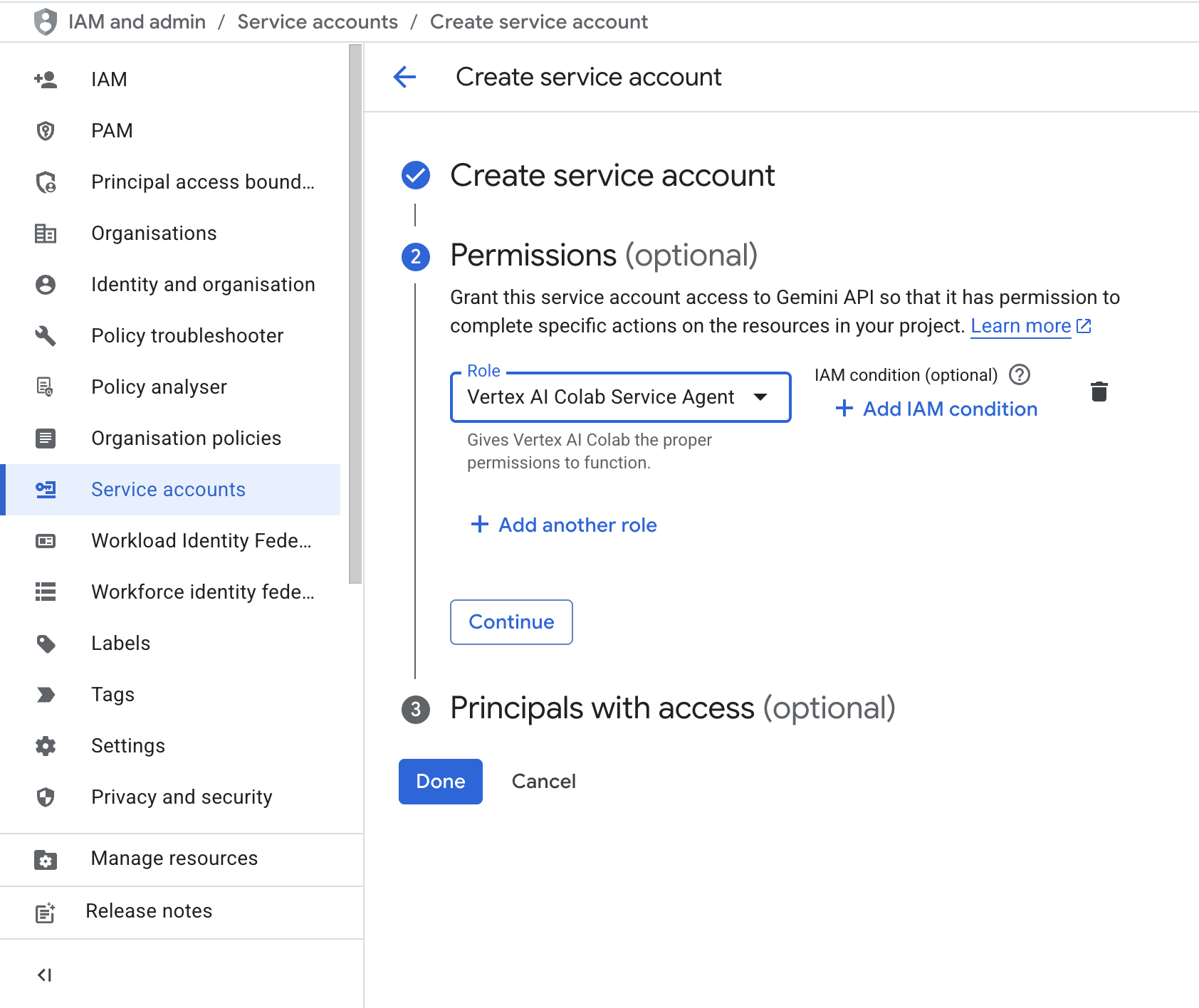
- Name:
matterai - Role:
Vertex AI Colab Service Agent
RuleSets
Rulesets are your custom organization-specific AI rules for languages, security and repositories stored securely in MatterAI. You can create and manage them in the MatterAI dashboard.Language Rules
Create or edit existing language rules in the MatterAI dashboard as per how AI should should review your codebase with specific instructions.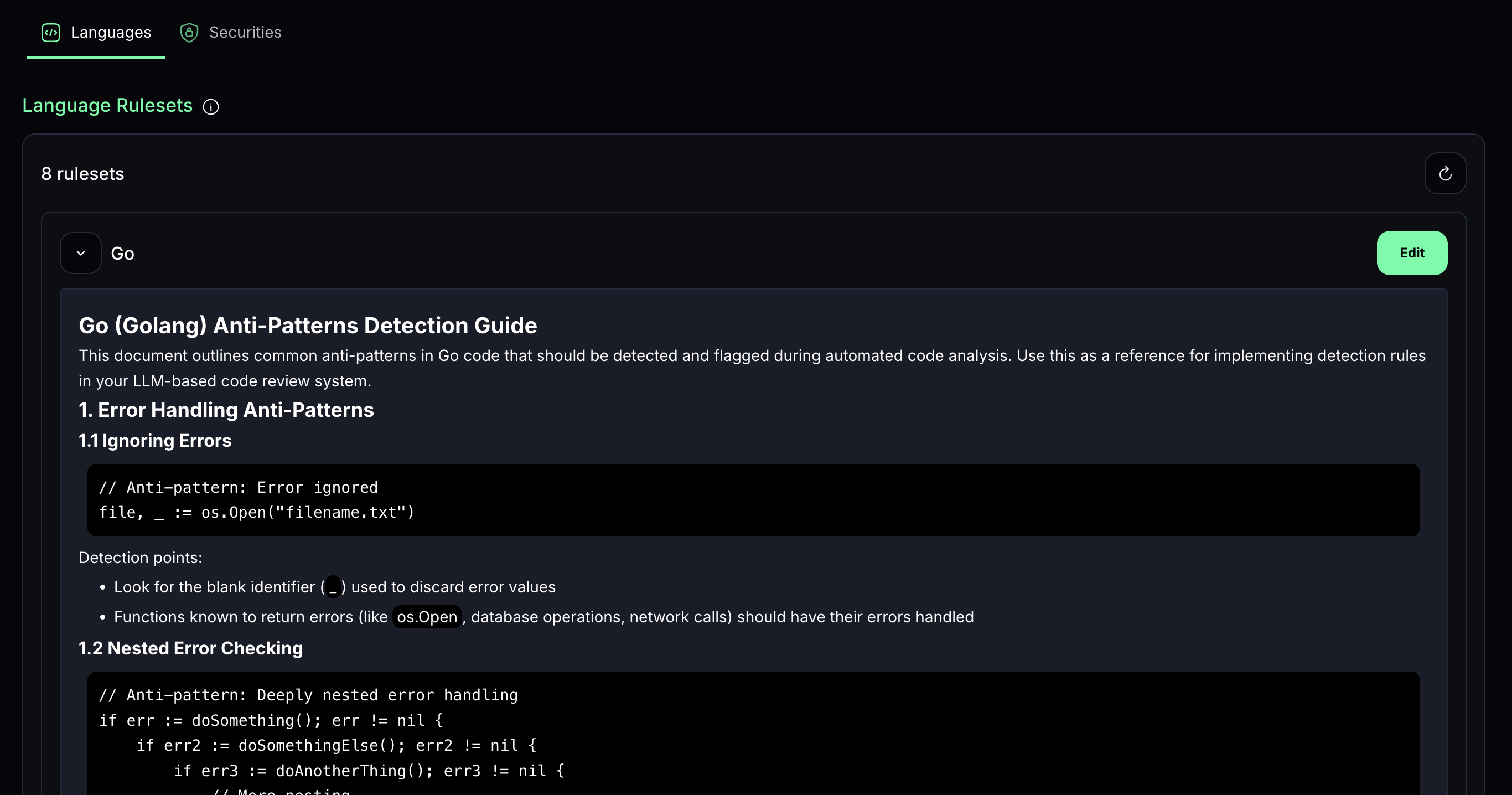
Security Rules
Create or edit existing security rules in the MatterAI dashboard as per how AI should should review your codebase with specific instructions.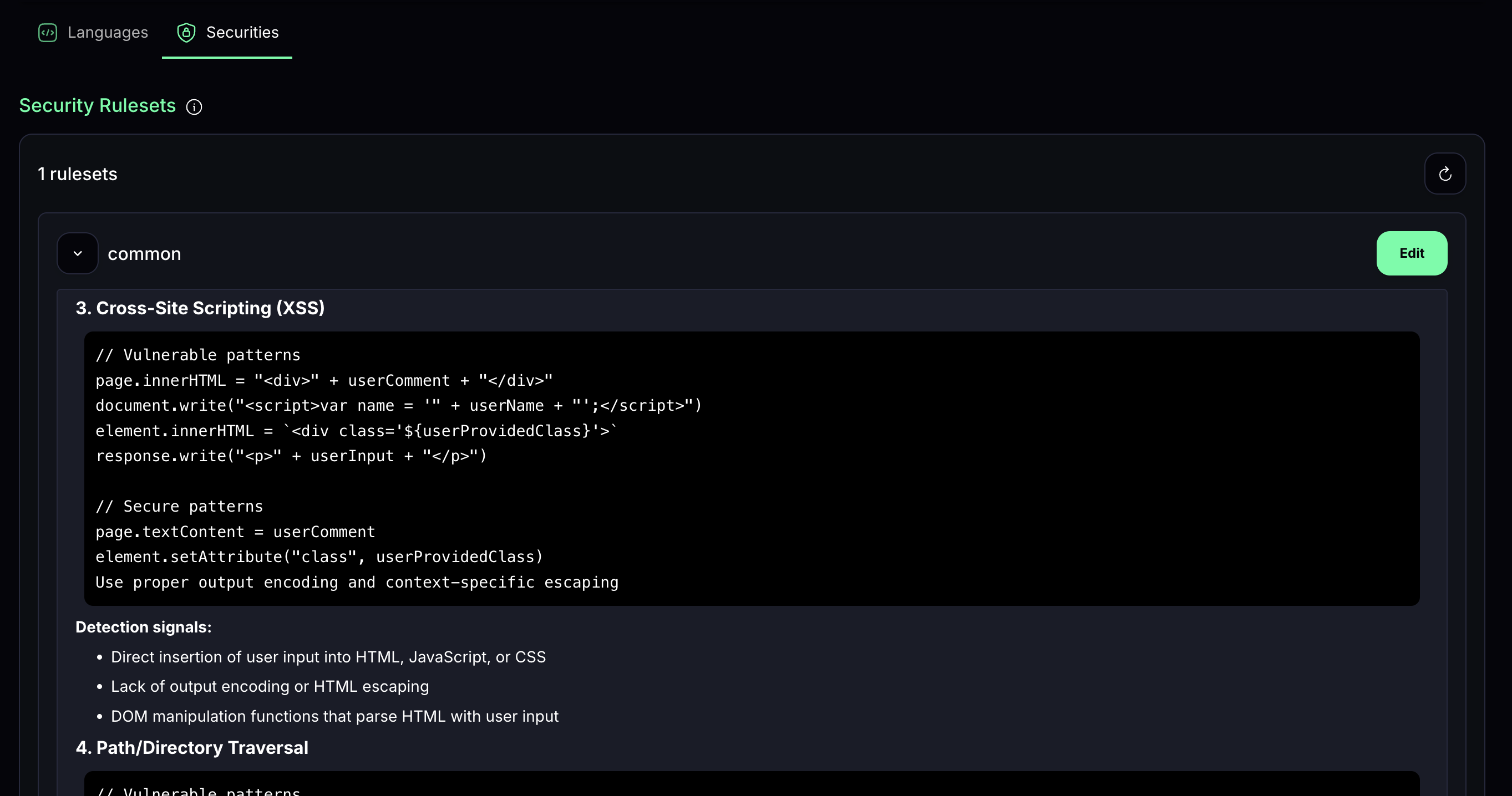
IDE Code Reviews
Transform your development workflow with Matter AI’s new asynchronous review engine designed for IDE integration. Benefits:- Instant feedback submission without waiting for analysis
- IDE stays responsive during complex code reviews
- Perfect for large diffs and complex codebases
- Built-in retry logic and error handling
Quick Setup
- Install the Axon Code extension from https://www.matterai.so/axon-ai-coding-agent for your IDE
- Keep your MatterAI Enterprise Backend URL and MCP Server Key ready
- Setup Enterprise Configs